















Software and Automation Testing Course with Gen AI in తెలుగు

Join EdgeX Learning's 1-year Automation Testing Course in Telugu designed to take you from testing fundamentals to confidently facing real interviews. Start with 3 months of intensive live training, move into 1 month of dedicated interview preparation and receive 8 months of placement support.

Get Job. Get Refunded.
Google4.5/54.5/512,000 Reviews
  • 120 Hours of Live Training
  • Selenium, Cypress, Playwright
  • 3 Capstone, Module-Wise Projects
  • 1000+ Interview Questions
  • 3 Mock Interviews
  • 8 Months of Job Support

Ranked #1 DevOps Training Institute By Economic Times

View Schedules

Next Webinar Starts in

00Days
00Hours
00Min
00Sec

14000+ Learners

Technical course learner

Highest Package

40 LPA

Average Salary

8 LPA

In Collaboration with

Collaboration partner

Our Hiring Partners

Google
IBM
Infosys
Claude
Capgemini
TCS
Google
IBM
Infosys
Claude
Capgemini
TCS

Overview

The EdgeX Learning Automation Testing Course in Telugu is a 12-month career-focused program built around three tracks — Learning, Interview Preparation and Placement. Learners first build strong manual and automation testing skills, then prepare intensively for interviews before entering an extended placement-support phase. The program combines 120 hours of live training, practical assignments, mini projects, 3 capstone projects, weekly mentorship, 1000+ interview questions, industry-led mock interviews and career preparation to help learners become job-ready.

Most Standout Features

  • 12-Month Career Journey

    3 months training, 1 month interview preparation and 8 months placement support.

  • Telugu-Based Learning

    Learn concepts in Telugu with technical terms in English.

  • Modern Automation Tools

    Learn Selenium, Cypress, Playwright, APIs, SQL and CI/CD.

  • Learn by Doing

    Complete assignments, mini projects and 3 capstone projects.

  • Dedicated Interview Preparation Track

    Spend an entire month preparing through 1000+ frequently asked interview questions

  • Complete Career Preparation

    Get resume, LinkedIn, HR interview and salary negotiation support.

Skills Covered

  • Manual Testing
  • Quality Assurance
  • Java for Test Automation
  • Selenium WebDriver
  • TestNG & JUnit
  • Cucumber BDD
  • API Testing
  • Postman
  • REST Assured
  • SQL & Database Testing
  • Cypress Automation
  • Playwright Automation
  • JavaScript
  • Python for Testers
  • Git, Maven,
  • Jenkins, CI/CD
  • Gen AI
  • Agentic AI

Course Content

Topics

  • Introduction to software testing
  • SDLC and STLC — phases and differences
  • Levels of testing — Unit, Integration, System, UAT
  • Types of testing — Functional, Non-functional, Regression, Smoke, Sanity
  • Testing techniques — Black box, White box, Grey box
  • Equivalence Partitioning and Boundary Value Analysis
  • Test case writing — components, template, best practices
  • Bug reporting — defect lifecycle, severity vs priority
  • Test metrics and RTM
  • Web testing, DB testing, cloud testing overview
  • Agile testing — Scrum ceremonies, sprint testing, DoR/DoD

Practical

  • Requirements analysis and Test Plan document preparation
  • Test Scenarios and Test Cases in Excel
  • Test execution and report generation
  • Jira — Test Case Management
  • Jira — Defect logging, tracking and workflow

Topics

  • Introduction to Java — JDK, JRE, JVM
  • Data types, variables, type casting, operators
  • Control flow — if/else, switch, for, while, do-while
  • OOPs — Inheritance, Encapsulation, Polymorphism, Abstraction
  • Abstract class vs Interface (incl. Java 8 default methods)
  • Method overloading vs Method overriding
  • Static keyword, final keyword, this and super
  • Packages and access modifiers
  • Collection Framework — List (ArrayList, LinkedList), Set (HashSet, TreeSet), Map (HashMap, LinkedHashMap)
  • HashMap internals — hashCode() and equals() contract
  • Exception handling — try/catch/finally, checked vs unchecked, custom exceptions
  • String vs StringBuilder vs StringBuffer
  • File handling — BufferedReader, Files.readAllLines
  • Java 8 — Lambda expressions, Functional Interfaces, Streams (filter, map, collect, groupingBy), Optional, Method References

Practical

  • OOPs programs — classes, objects, inheritance, polymorphism
  • Collections exercises — ArrayList, HashMap, iteration, sorting
  • Exception handling with custom exceptions
  • Java 8 Stream operations — filter, map, groupingBy, count
  • Classic coding problems: palindrome, anagram, Fibonacci, factorial, find duplicates, second-highest number, FizzBuzz

Selenium WebDriver

  • Selenium suite overview — IDE, RC, WebDriver, Grid
  • WebDriver architecture and browser communication
  • Locators — id, name, className, tagName, linkText, partialLinkText, XPath, CSS Selector
  • Absolute vs Relative XPath, XPath with contains(), text(), starts-with(), and XPath axes
  • Dynamic XPath and dynamic CSS selectors
  • Selenium 4 features — relative locators (above, below, near, toLeftOf, toRightOf), new Actions API
  • WebDriverManager — automatic browser driver management
  • Waits — Implicit, Explicit (WebDriverWait + ExpectedConditions), Fluent Wait
  • Common ExpectedConditions — visibilityOf, elementToBeClickable, presenceOf
  • Interacting with elements — sendKeys, click, clear, getText, getAttribute, isDisplayed, isEnabled, isSelected
  • Dropdowns — Select class (selectByVisibleText, selectByValue, selectByIndex)
  • Actions class — hover, drag-and-drop, right-click, double-click, keyboard actions
  • JavaScriptExecutor — scroll, click hidden element, highlight, get title
  • Handling alerts — accept, dismiss, getText, sendKeys
  • Handling frames and iframes — switchTo().frame(), switchTo().defaultContent()
  • Handling multiple windows and new tabs — getWindowHandles, switchTo().window()
  • File upload using sendKeys, file download handling
  • Taking screenshots — TakesScreenshot interface
  • Selenium 4 — full-page screenshot, CDP basics (awareness)

TestNG Framework

  • TestNG annotations — @Test, @BeforeMethod, @AfterMethod, @BeforeClass, @AfterClass, @BeforeSuite, @AfterSuite
  • Test execution order, priority, and groups
  • dependsOnMethods and dependsOnGroups
  • @DataProvider for data-driven tests
  • TestNG Listeners — ITestListener, screenshot-on-failure implementation
  • Parallel execution via testng.xml (parallel='methods', 'tests', 'classes')
  • @Parameters with testng.xml
  • Assertions — Assert.assertEquals, assertTrue, assertFalse, assertNull; Hard vs Soft Assert
  • Running TestNG via Maven (mvn test)
  • TestNG default reports — emailable-report.html and index.html
  • Extent Reports integration
  • Log4J — log levels (DEBUG/INFO/WARN/ERROR/FATAL), log4j2.xml configuration, framework integration

Page Object Model and Framework Design

  • What is POM and why use it — benefits over linear scripts
  • Page Factory and @FindBy, @FindBys, @FindAll
  • PageFactory.initElements() and lazy loading
  • BasePage class — driver, waits, and common utility methods
  • POM project folder structure — src/main/java, src/test/java, config, testdata, drivers, reports
  • Data-driven layer — Excel + Apache POI, TestNG DataProvider
  • Config management — config.properties, environment switching
  • Hybrid framework design — POM + Data-Driven + Config-Driven
  • Design patterns used — Singleton (WebDriver), Factory (Browser)

Practical

  • Maven project setup for Selenium
  • Automation scripts for alerts, frames, multi-window handling
  • Actions class — hover menu, drag-and-drop, double-click
  • JavaScriptExecutor — scroll to element, highlight
  • Build full POM structure for a live application (login, dashboard, checkout pages)
  • Data-driven test with Excel + Apache POI
  • Data-driven test with TestNG DataProvider
  • Cross-browser test execution
  • Screenshot-on-failure with ITestListener
  • Extent Report integration with Log4J
  • Run full suite via testng.xml and mvn test

Topics

  • What is BDD — behaviour-driven development and its benefits
  • Cucumber architecture — feature files, step definitions, test runner
  • Gherkin language — Given, When, Then, And, But
  • Feature file structure and naming conventions
  • Scenario vs Scenario Outline
  • Examples table in Scenario Outline
  • Step Definition methods and regex / annotation matching
  • Test Runner class — @RunWith(Cucumber.class) or AbstractTestNGCucumberTests
  • @CucumberOptions — features, glue, tags, plugin, monochrome
  • Hooks — @Before, @After, @BeforeStep, @AfterStep
  • Tags — @smoke, @regression; running by tag from Maven
  • Background — setup steps shared across scenarios
  • Data Tables — passing tabular data to step definitions
  • Cucumber + TestNG integration
  • Generating Cucumber HTML, JSON, and Extent Reports
  • Dry run to validate feature files

Practical

  • Feature file for a login flow with positive and negative Scenario Outlines
  • Step definition Java code for all scenarios
  • Hooks for browser setup and teardown
  • Tag-based execution from Maven command line
  • Cucumber Extent Report generation
  • End-to-end BDD project — login → search → checkout

Topics

  • Introduction to JUnit — history, JUnit 4 vs JUnit 5 (Jupiter)
  • JUnit 5 architecture — JUnit Platform, Jupiter, Vintage
  • JUnit vs TestNG — 5 key differences (interview-critical)
  • JUnit 5 annotations — @Test, @BeforeEach, @AfterEach, @BeforeAll, @AfterAll
  • JUnit 4 annotations — @Before, @After, @BeforeClass, @AfterClass (legacy awareness)
  • Assertions — assertEquals, assertTrue, assertFalse, assertNull, assertNotNull, assertThrows, assertAll
  • Assumptions — assumeTrue, assumeFalse
  • @DisplayName, @Disabled, @Nested, @Tag, @RepeatedTest
  • Parameterized tests — @ParameterizedTest, @ValueSource, @CsvSource, @MethodSource
  • @ExtendWith for extensions
  • Test execution order — @TestMethodOrder, @Order
  • Running JUnit 5 via Maven Surefire plugin
  • Selenium + JUnit 5 as the test runner
  • Migration from JUnit 4 to JUnit 5

Practical

  • JUnit 5 Maven project setup
  • Test with @BeforeEach/@AfterEach for browser lifecycle
  • Parameterized login test with @CsvSource
  • assertAll() with grouped assertions
  • Nested test class for a shopping cart scenario
  • Selenium WebDriver test running under JUnit 5

Learning Career Assurance+

Empower your team with industry-leading skills and custom learning pathways.

  • Exclusive Access to 1200+ Hiring Partners
  • Exclusive Access to Fresher Hiring Drives

Upcoming Schedules

No schedules found for the selected filter.

Eligibility Requirements

Start your Automation Testing journey with a beginner-friendly program covering Manual Testing, Java, Selenium, API Testing, Cypress, Playwright, CI/CD and AI. No prior testing experience is required.

  • No Mandatory Prerequisites

    No prior coding, testing or automation experience is required. The program starts with the fundamentals and progresses gradually.

  • Open to All Career Stages

    Suitable for students, fresh graduates, working professionals, manual testers, career switchers and career-break candidates.

  • Learn with Confidence

    A willingness to learn, practise consistently and complete assignments and projects is more important than previous experience.
Certification

This course is ideal for

  • Final-Year Students
  • Fresh Graduates
  • Working Professionals
  • Manual Testers
  • IT Professionals
  • Non-IT Professionals
  • Career-Break Candidates
  • Professionals Switching to Automation Testing

What Our Learners Saying

Alex video testimonial

Earn Valuable Credentials

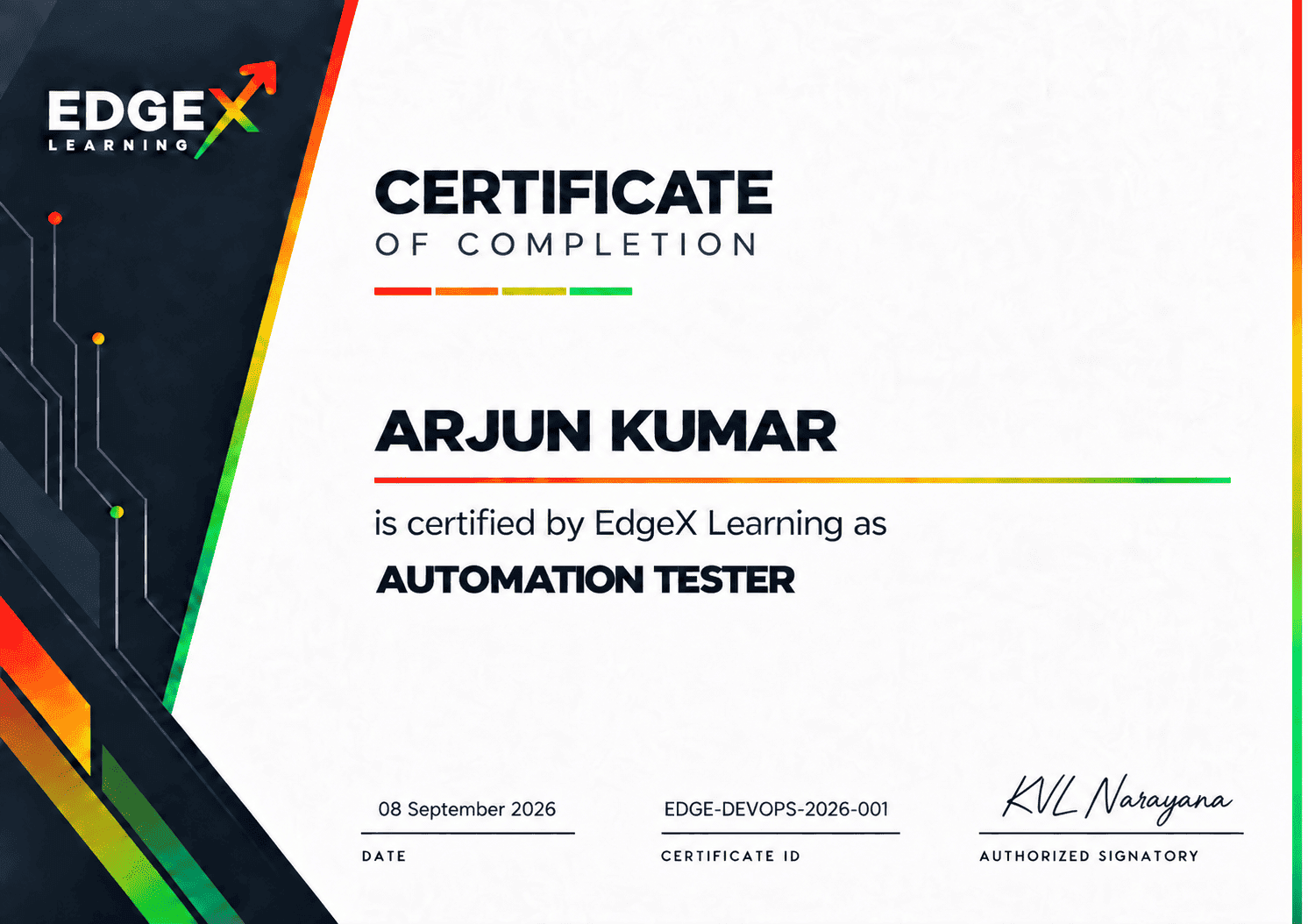
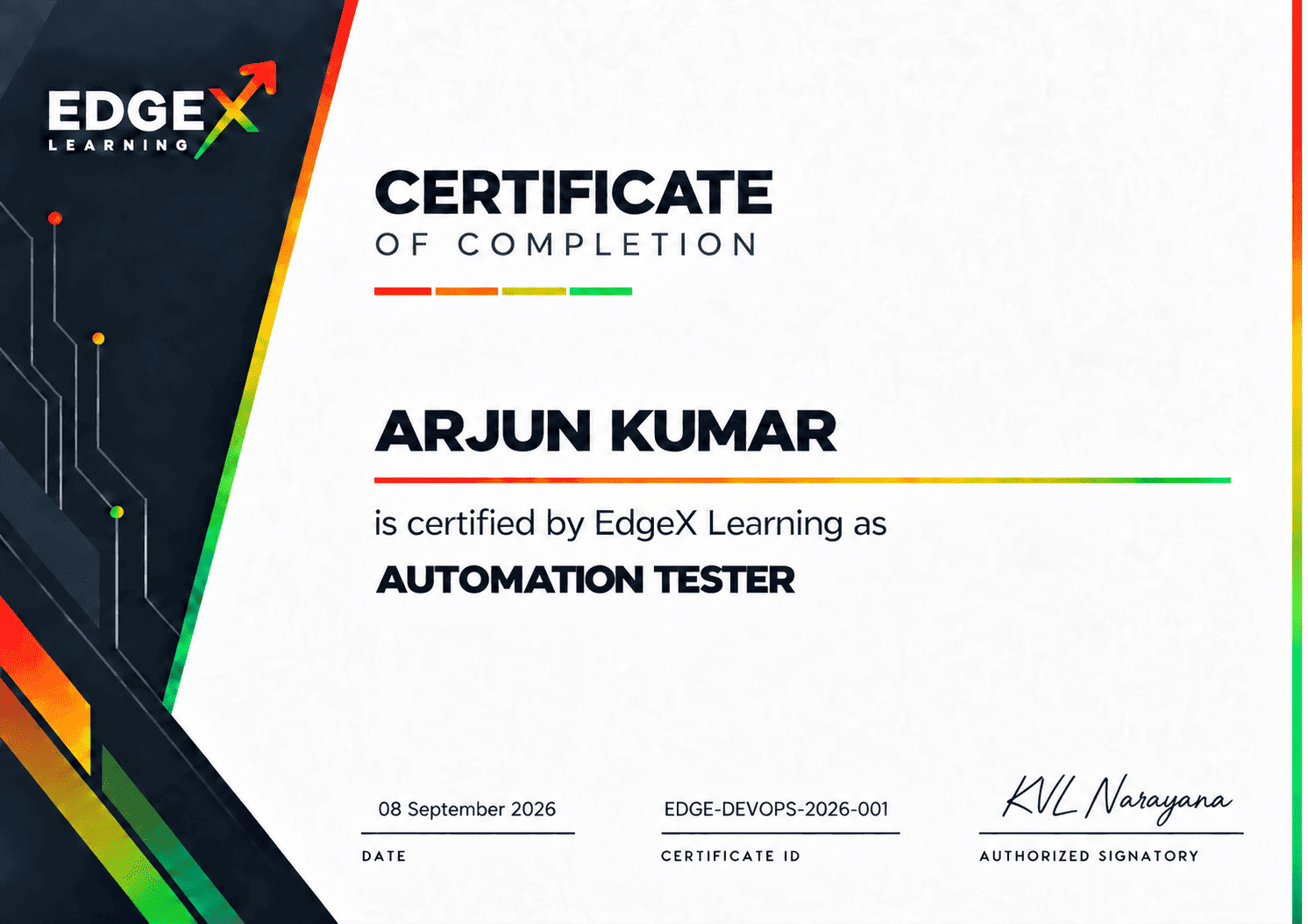
Earn an EdgeX Learning Course Completion Certificate that validates your Automation Testing skills, practical projects and successful program completion.
Course Completion Certificate

Save Time writing copy

Define team ground rules, build a shared understanding, engage and support virtual teams, and more.

Export your results to a downloadable file

Define team ground rules, build a shared understanding, engage and support virtual teams, and more.

Perfect result on the first try

Define team ground rules, build a shared understanding, engage and support virtual teams, and more.

Frequently Asked Questions

Yes. Learners who complete the required tracks enter an eight-month Placement Track.

It begins after completing the three-month Learning Track and one-month Interview Preparation Track.

Placement support continues for eight months.

Eligible learners receive access to unlimited relevant opportunities during the placement-support period.

Opportunities may come through EdgeX’s hiring relationships, recruitment ecosystem, job networks and other relevant hiring channels.

Have more questions or needpersonal guidance?

Why ChooseEdgeX

World Class Training . Real World Impact . Your Success Guaranteed

Others

  • Theory-Heavy

    Traditional classroom approach with limited practical exposure.

  • Generic Trainers

    Academics or trainers with limited current industry experience.

  • Local Certifications

    Certificates with limited global or industry recognition.

  • Basic Support

    Limited job assistance with no long-term career tracking.

  • Simulated Projects

    Basic, outdated capstones that don't reflect industry reality.

Edgex Learning
  • Project-Led & Immersive

    Real-world simulations and hands-on projects that prepare you for day-one productivity.

  • Global Industry Architects

    Direct 1-on-1 mentorship from Fortune 500 experts.

  • Globally Accredited

    Credentials recognized by the world's leading governing bodies.

  • Scalable Career Growth

    Lifelong access to our elite professional network and 100% placement aid.

  • Live Enterprise Projects

    Work on actual projects for global brands and startups.

Awards and Recognitions

Top 10 Ed Tech Platform award

Ed Tech Company of the Year

Awarded by

The Corporate Titan

Top 10 Ed Tech Platform award

Ed Tech Company of the Year

Awarded by

The Corporate Titan

Top 10 Ed Tech Platform award

Ed Tech Company of the Year

Awarded by

The Corporate Titan

Top 10 Ed Tech Platform award

Ed Tech Company of the Year

Awarded by

The Corporate Titan

About

bye

Build Skills Today to Unlock Your Career Edge

Practical, career-focused learning designed to help you build the right skills and move your career forward.

  • 10,000+

    Total Learners Enrolled

  • 400+

    Hiring Partners

  • 5000+

    Careers Transformed

Let’s Find the Right Course for You